Available on iPhone, iPad, Mac & Vision Pro

Track Every
Adventure

Record your routes, explore your activity zones, and relive every journey with beautiful maps and detailed stats.

Download on the App Store Explore Features
iPhone
iPad
Mac
Vision Pro

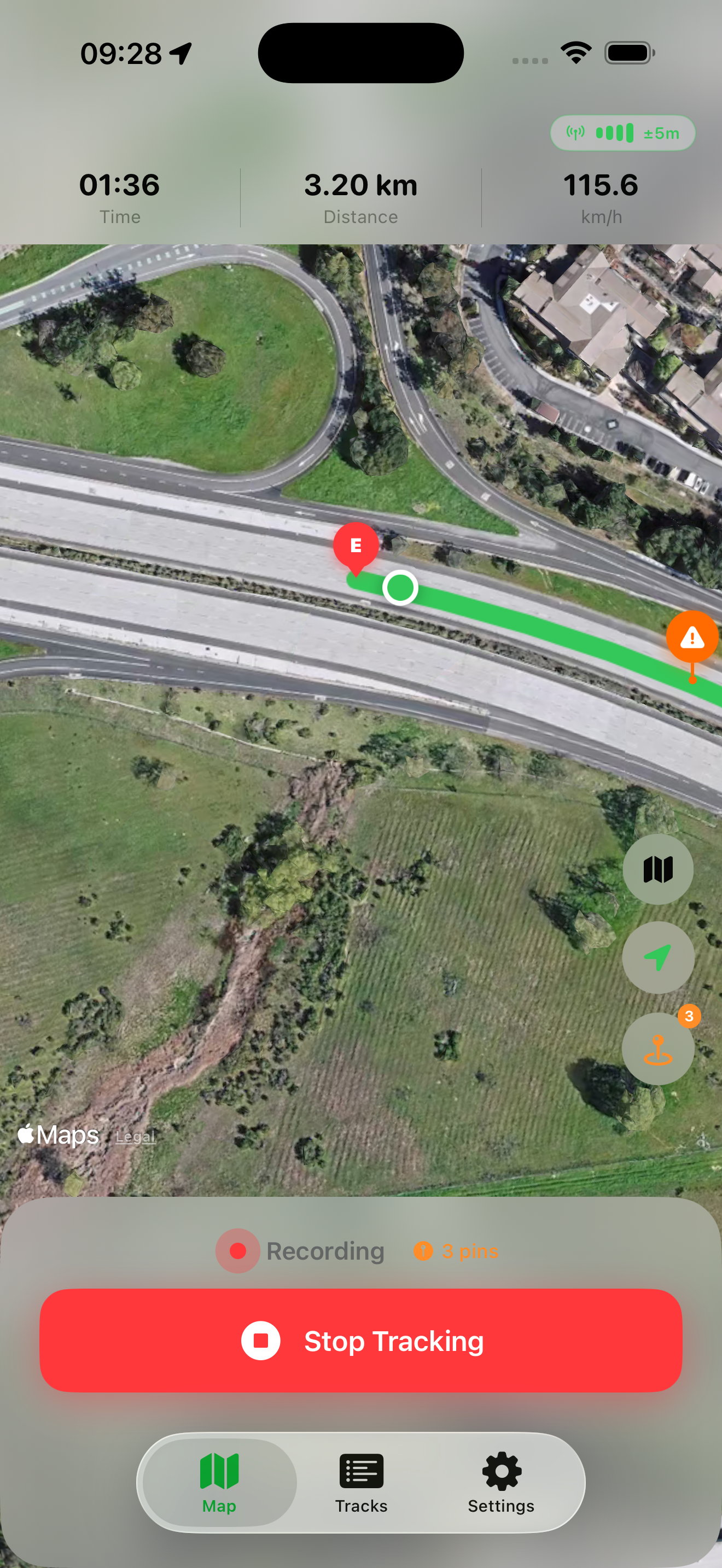
Hit start and forget about it

GPS Tracker records your route in real time with live stats — distance, duration, and speed — all visible at a glance. The app runs quietly in the background, tracking every turn even with your screen off. And with Live Activity and Dynamic Island support, your progress stays on your Lock Screen so you never have to interrupt your flow.

Live Tracking

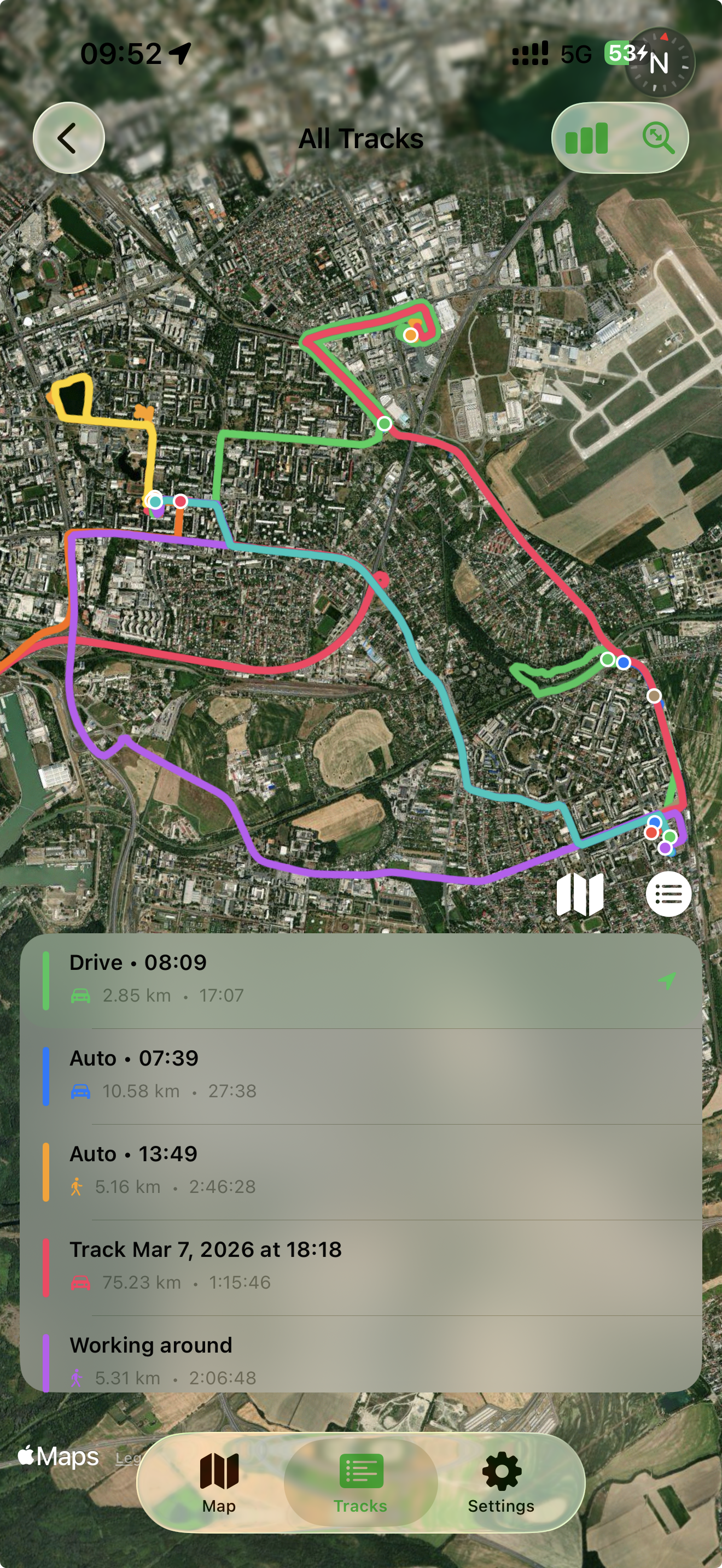
Every route, one beautiful map

Every route you've ever taken, layered on one beautiful map. Each track gets its own color, making it easy to see your most-traveled roads, favorite trails, and daily patterns. Tap any route to see the details — distance, duration, activity type, and more. It's your personal movement history, visualized the way it should be.

All Tracks Map

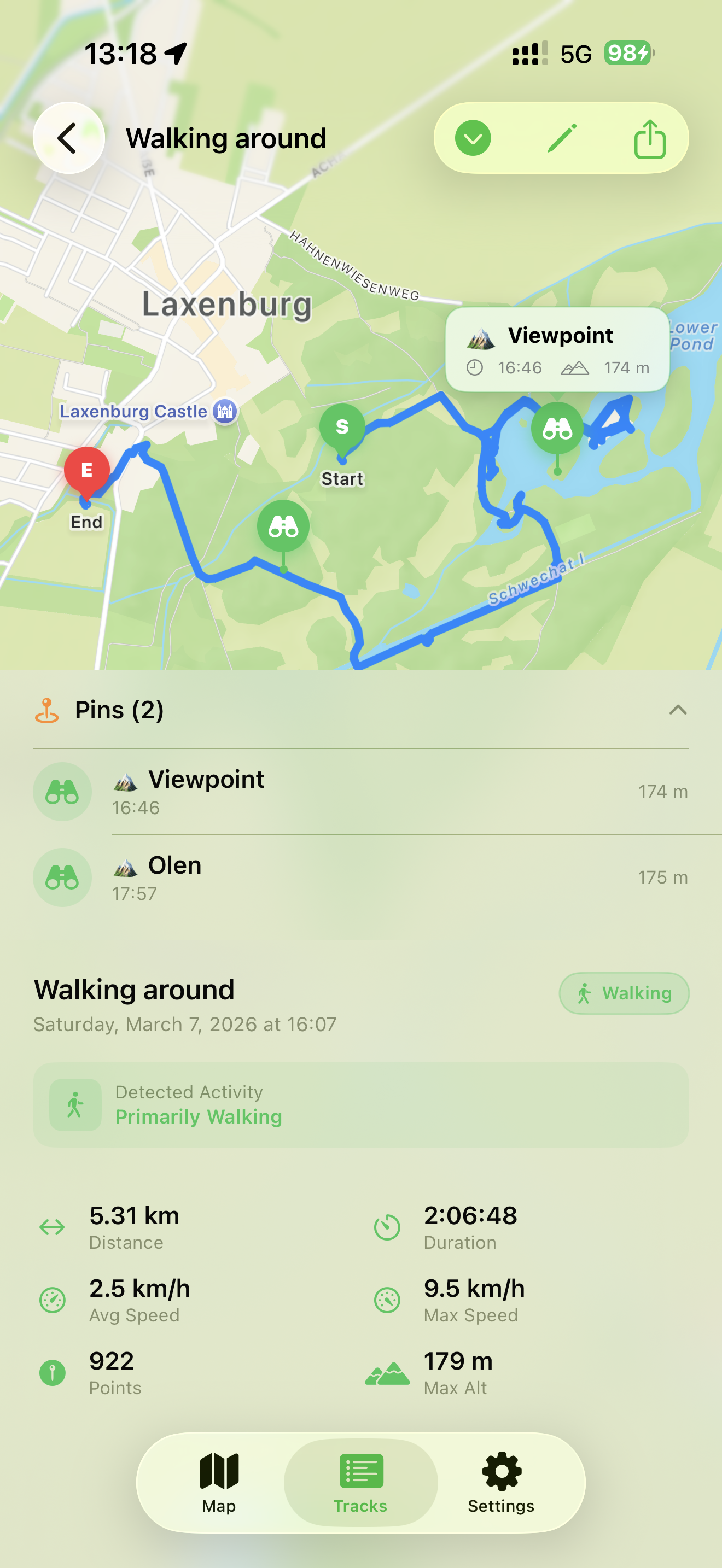
Every journey, always with you

Every journey is saved and organized automatically. Browse your full track history, filter by activity — walking, driving, cycling — and revisit any route with full stats. Each track shows distance, duration, and timestamps so you always know exactly where you were. Everything syncs across your devices via iCloud, so your data is always with you.

Saved Tracks

Packed with smart features

Designed to work seamlessly whether you're running, walking, cycling, or driving.

Drive Detection

Automatically detects when you start driving and records your trip in the background. No manual input needed.

Geofencing

Set zones around home or office. Recording auto-starts when you leave and stops when you return.

Map Pinning

Mark interesting locations during your tracks or pin any point on the map for future reference.

Activity Detection

Automatically identifies whether you're walking, running, cycling, or driving and labels accordingly.

Share & Export

Export route cards for Instagram and Telegram, or GPX files for Strava, Komoot, and more.

Zero Data Collection

Your location data stays on your device and syncs privately through your personal iCloud account. We collect nothing.

Frequently asked questions

Got questions? We've got answers. If you can't find what you're looking for, reach out to our support team.

GPS Tracker works on iPhone (iOS 17.6+), iPad (iPadOS 17.6+), Mac with Apple Silicon (macOS 14.6+), and Apple Vision Pro (visionOS 1.3+). Your data syncs across all devices via iCloud.

GPS Tracker is optimized for minimal battery impact. Like any app that uses location services, continued background GPS usage may affect battery life, but we use efficient tracking algorithms to keep consumption low.

GPS Tracker does not collect any personal data. All your location data stays on your device and syncs privately through your personal iCloud account. We take your privacy seriously.

The app uses your device's motion sensors to detect when you start driving. Once detected, it automatically begins recording your route in the background. No manual action required — just get in your car and go.

Yes! You can export your routes as GPX files, which are compatible with popular platforms like Strava, Komoot, and others. You can also create beautiful route cards to share on Instagram, Telegram, and other social media.

Geofencing lets you set virtual boundaries around locations like your home or office. When you leave a geofenced area, the app automatically starts recording your route. When you return, it can stop recording. It's fully hands-free tracking.

Yes, GPS Tracker is free to download and use with core features. Premium features are available through a subscription to unlock the full experience.

You can cancel your subscription anytime through your Apple ID settings. Go to Settings > Your Name > Subscriptions on your iPhone or iPad, find GPS Tracker, and tap Cancel Subscription. You'll continue to have access until the end of your billing period.

We're here to help

Need assistance? Our team is ready to help you get the most out of GPS Tracker.

Email Support

Send us a message and we'll get back to you as soon as possible.

Contact Us

FAQ

Find answers to common questions about GPS Tracker features and usage.

Browse FAQ

Privacy Policy

Learn about how we protect your data and respect your privacy.

Read Policy

Start tracking your
adventures today

Free to download. Available on iPhone, iPad, Mac, and Vision Pro.

Download on the App Store